
Be a Team Player: Practise Good Open-Plan Office Etiquette

Be a Team Player: Practise Good Open-Plan Office Etiquette

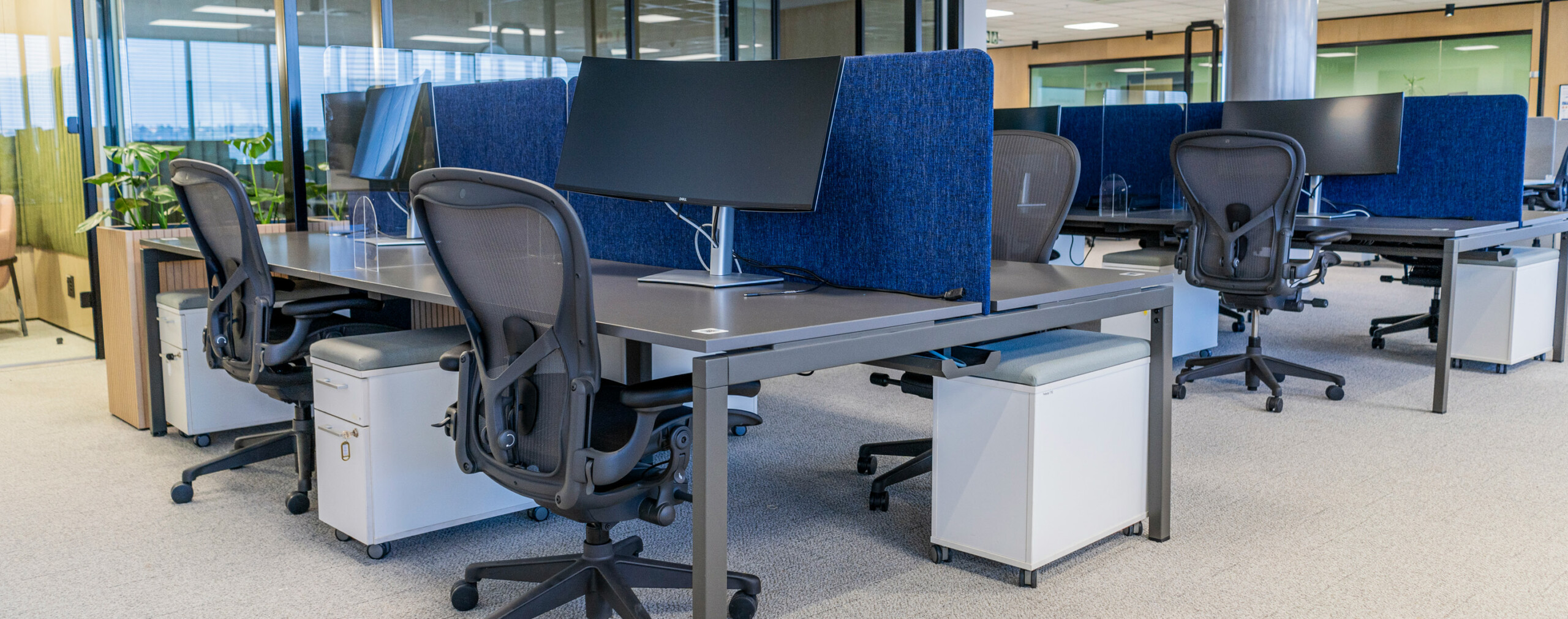
Our stunning new 144 Oxford open-plan workspace includes a wide variety of shared spaces which support greater interaction amongst colleagues.
Information and conversations now flow more freely increasing collaboration across the board.

It’s all very positive, however it is important to be mindful of a few things like noise pollution within a shared space. Below we’ve outlined a few best practices to ensure our open-plan working environment is always a pleasant and productive place to be.

1. Be Mindful of the Noise You Make

With fewer restrictive walls to get in the way of great ideas, sound travels much more easily throughout the open-plan office. It’s best to keep your voice at an indoor level when talking to others and be mindful of group chats that can get loud.

Always make use of your MS Headset when joining an online meeting and keep your cell phone on vibrate. If you do need to take a call make your way to one of the many soundproofed spaces, like the Chat Booths or Glass Pods.

This should go without saying, but if you do enjoy listening to your favourite tunes while working, do use headphones.

Help cut down noise pollution and use these soundproof spaces:

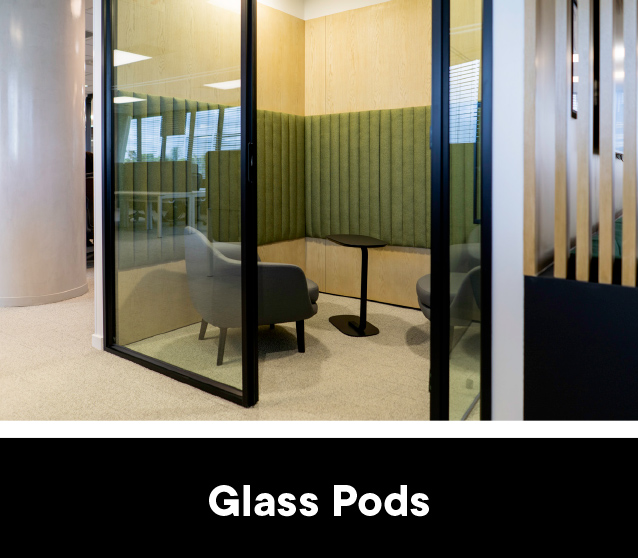
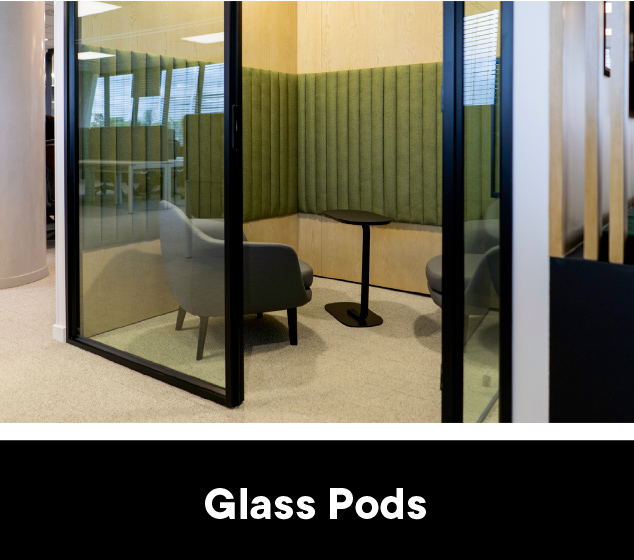
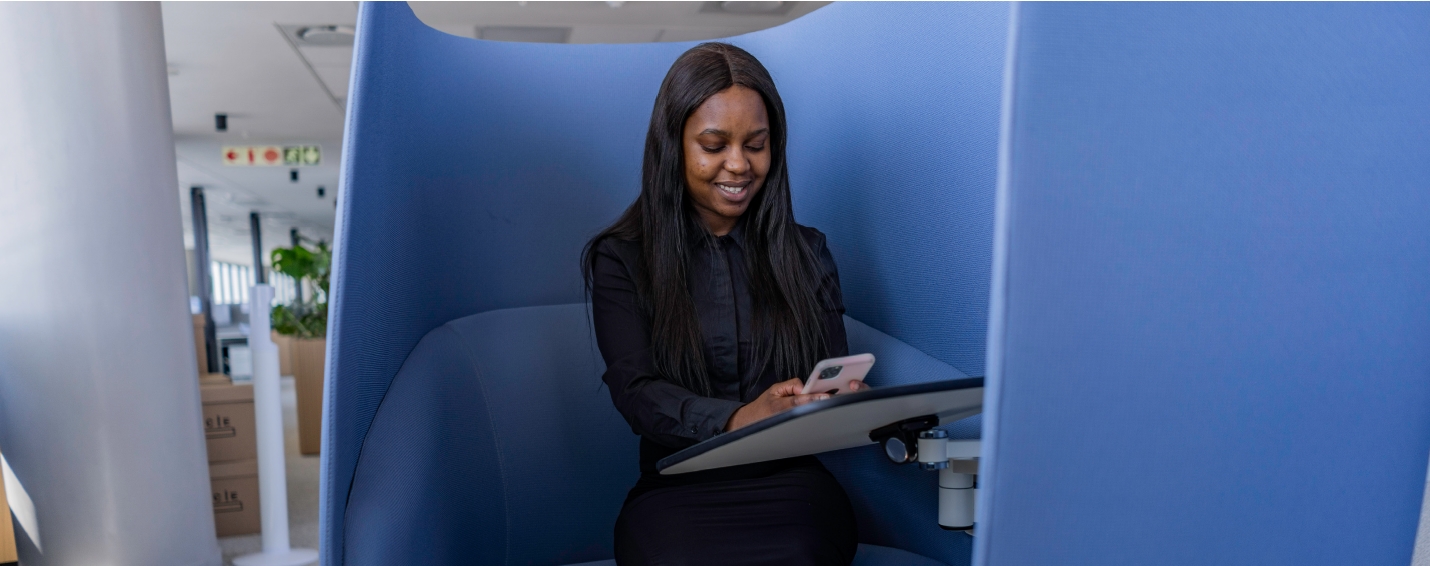
These pods, equipped with lighting and plug points, are great for when you need to do some deep work, thinking or make a call.
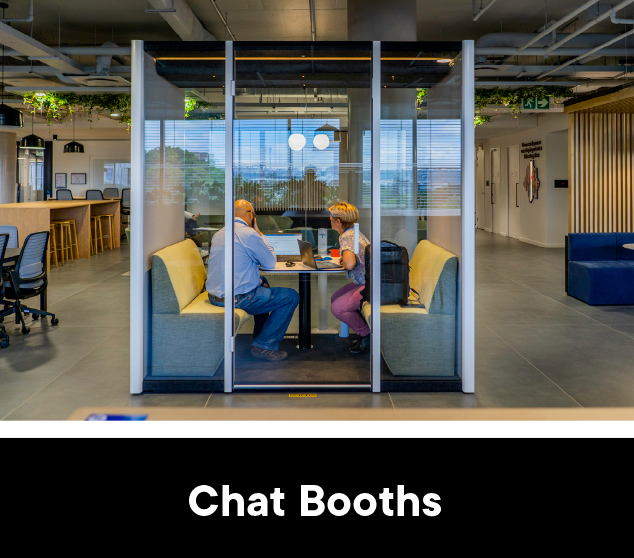
These noise-cancelling booths, fit for one, are ideal for private phone conversations or extended online chats.

2. Time for a Meeting? Move to the Right Space

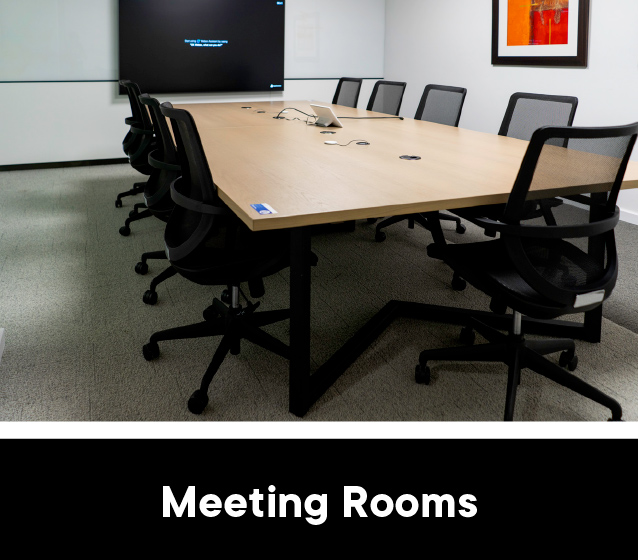
When you need to get together with colleagues for a meeting, conference call or workshop, gather in the appropriate space. There are several meeting rooms across the floor that can be booked in advance (catering for different technical requirements) with a few which are available at short notice.

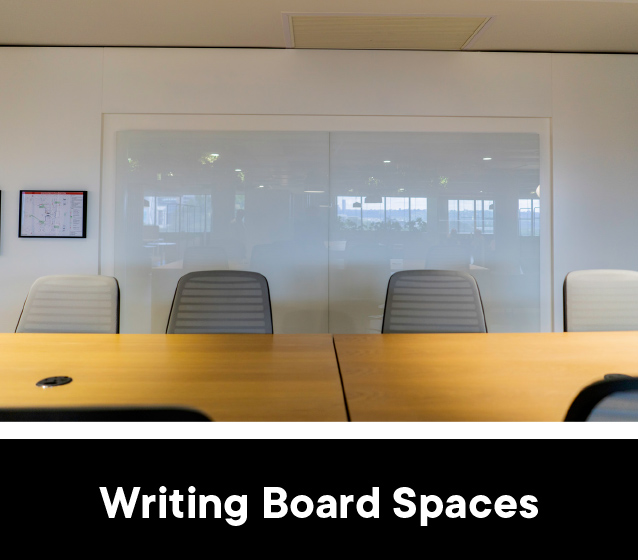
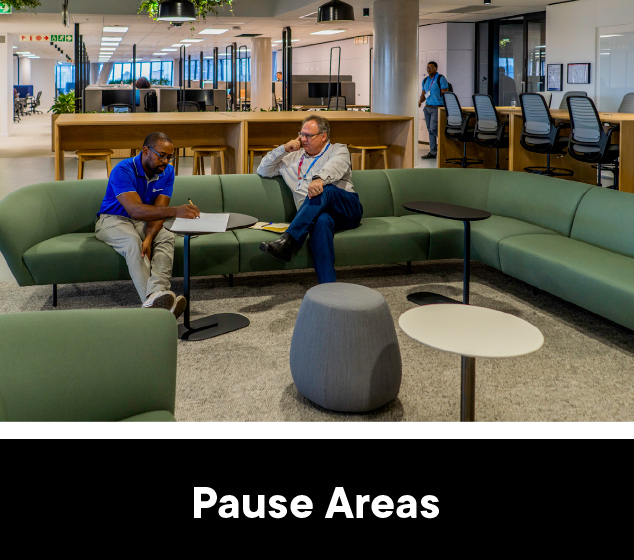
If you do think the occasion calls for something a little less formal, try out the Pause Areas and Writing Board Spaces. Both are great for collaborative brainstorming sessions and situated away from the shared Flexi Zone.

By making use of the right space at the right time you’ll ensure fewer distributions during your own session while not creating distractions for your colleagues.

Consider the spaces below when it’s time to meet:

With their presentation screens and video conferencing features, these rooms are great for when the team needs to get together.
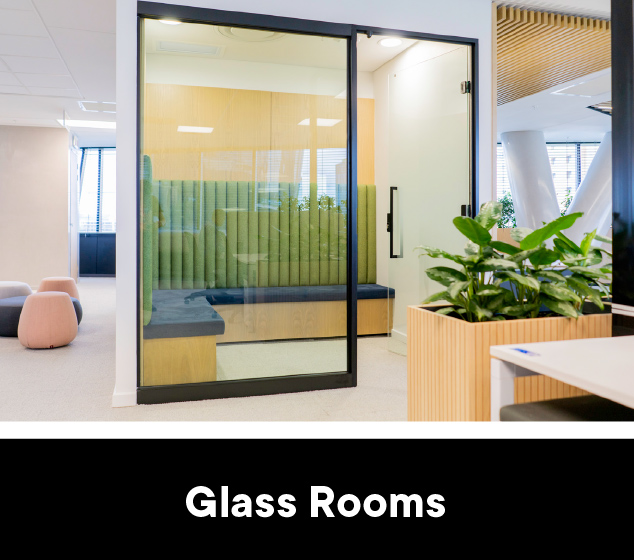
Each room is perfect for those confidential meetings and private conversations, especially with smaller groups.
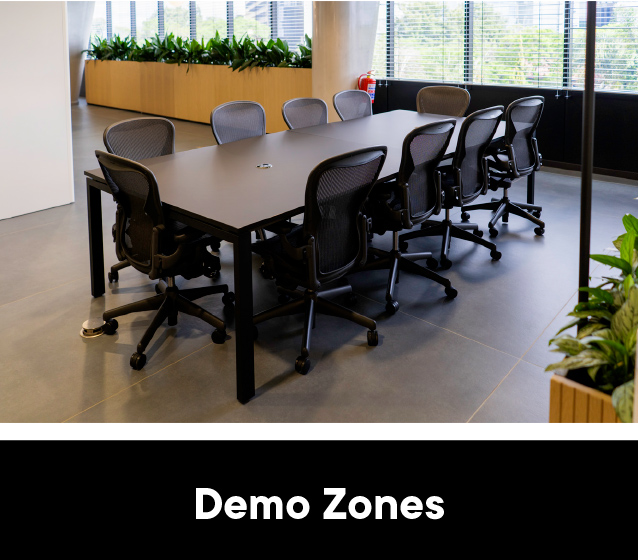
Situated away from the bookable Hot Desks, these zones are a great place to meet when you’d prefer a comfortable, open-plan setting.
These pods, equipped with lighting and plug points, are great for when you need to do some deep work, thinking or make a call.
Equipped with writing boards, pens and erasers, these spaces are the creative setting your next brainstorming session needs.
Featuring laid-backed and comfortable seating, these areas are perfect for catching up with colleagues or a quick time-out.

3. Always Keep Your Hot Desk Clear and Tidy

Our Clear Desk Policy is there, in part, to ensure you are welcomed by a neat and tidy desk when you sit down to work. Remember to always clear away all your belongings at the end of the day. Secured lockers are available when and if you need one.

Please do not eat at your desk: no one wants to share in the leftover grit and grime of your mid-morning brunch. When enjoying your favourite hot or cold drink make use of a receptacle with a secure cap lid. Closed cups are available if you don’t have your own. These must remain at 144 Oxford. DO NOT take them home.

They help to prevent nasty spills, especially if you bump into someone as you move throughout the office.


4. Respect Your Colleagues Space and Privacy

We’re all unique in our own remarkable ways which is to say, not everyone is exactly like you. Some of us need more personal space, others are fine with a little less. Be mindful of your colleagues and try to avoid having people crowded around your desk.

If you do feel the need to have a private conversation (on the phone or in person) there are plenty of options available. Chat Booths and Glass Rooms are great spaces to break away to for those sensitive talks.

Finally, try not to stare at your colleagues’ screen or browser: no one enjoys the feeling of someone peering over their shoulder.

5. The Golden Rule: Be Considerate

If all else fails and you’re not quite sure what to do, ask yourself whether your behaviour is helpful or harmful to the person sitting a few metres away from you. Popping more paper into the communal printer is. Dousing yourself with pungent body spray in the open-plan office, probably not so much.

If you see behaviour that’s less than ideal, remain respectful and helpful, gently nudging the “transgressor” towards a more appropriate ideal.

These 5 simple tips help ensure that 144 Oxford remains a pleasant and productive place to work, free from as much conflict as possible. Some of them might sound like common sense, but it’s easy to get swept away in the hustle of the day and forget about how your behaviour impacts those around you.

Do your bit. Be considerate so we can all reap the rewards and enjoy the benefits of sharing such a dynamic, open-plan space.


Emergency Do’s and Don’ts That Could Keep You Safe

Emergency Do’s and Don’ts That Could Keep You Safe

As we continue to discover new ways to enjoy 144 Oxford’s incredible amenities, it’s important not to lose sight of critical safety fundamentals. In this article, we’ll cover a few key DOs and DON’Ts which will keep you safe in the event of an emergency.

What should I do in the event of an emergency?

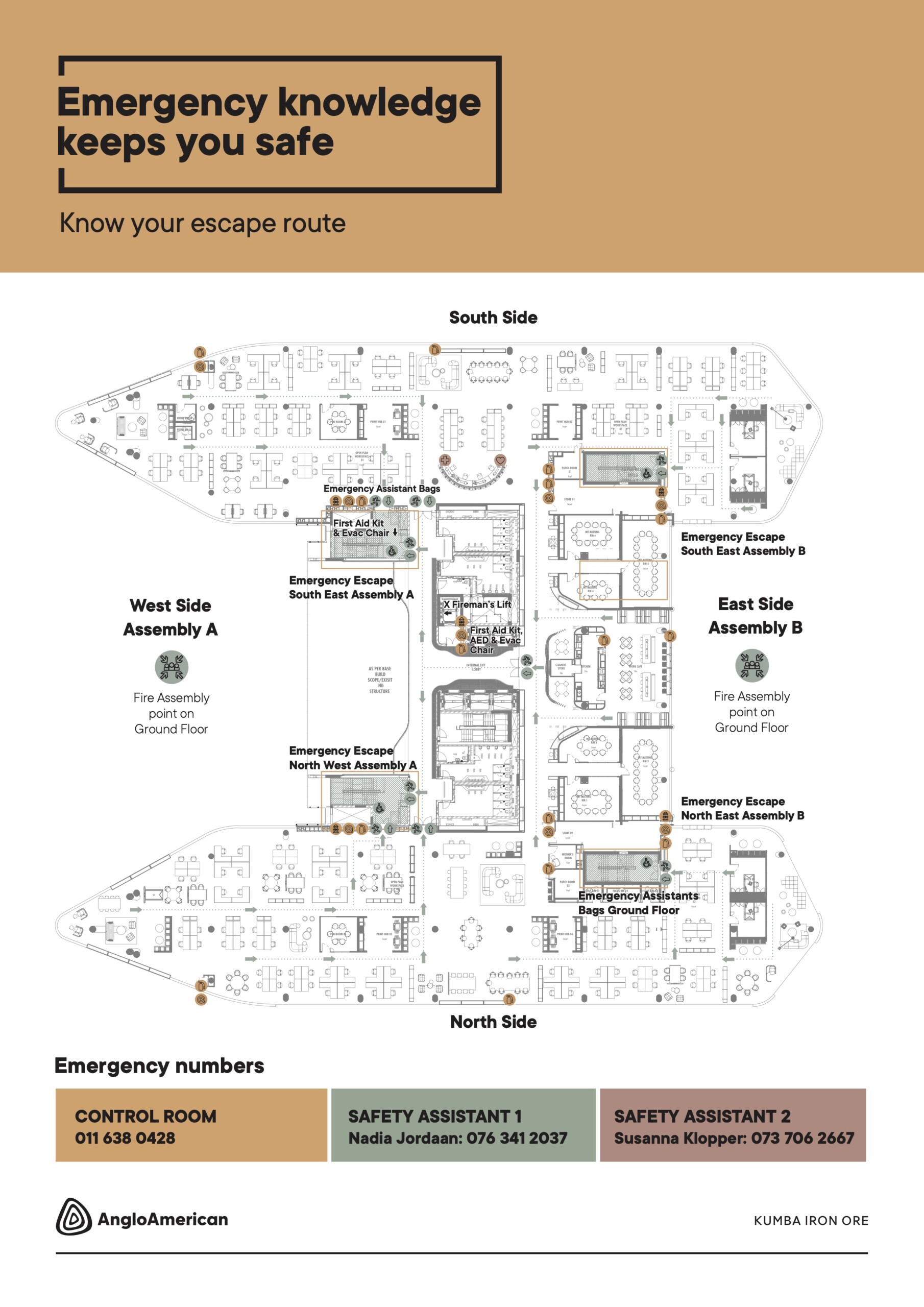
Keeping a cool head in a high-stress situation is not always easy, so if you forget everything else remember this: there are 2 Emergency Assistants on our floor. You can find their names* on the emergency information boards located in the Work Cafes.

If you find yourself feeling panicked and unsure about what to do, reach out to them for guidance. You can also phone the Control Room: 011 638 0428 to alert them of the situation

*The Kumba HSE team is in the process of finalising the appointees alongside Anglo American Group.

In addition, there are red emergency phones* located on all emergency escape staircases and the lift lobby. These will connect you directly with the reception and the BMS control room.

*Red emergency phones are managed by Servest Security, not Anglo American.

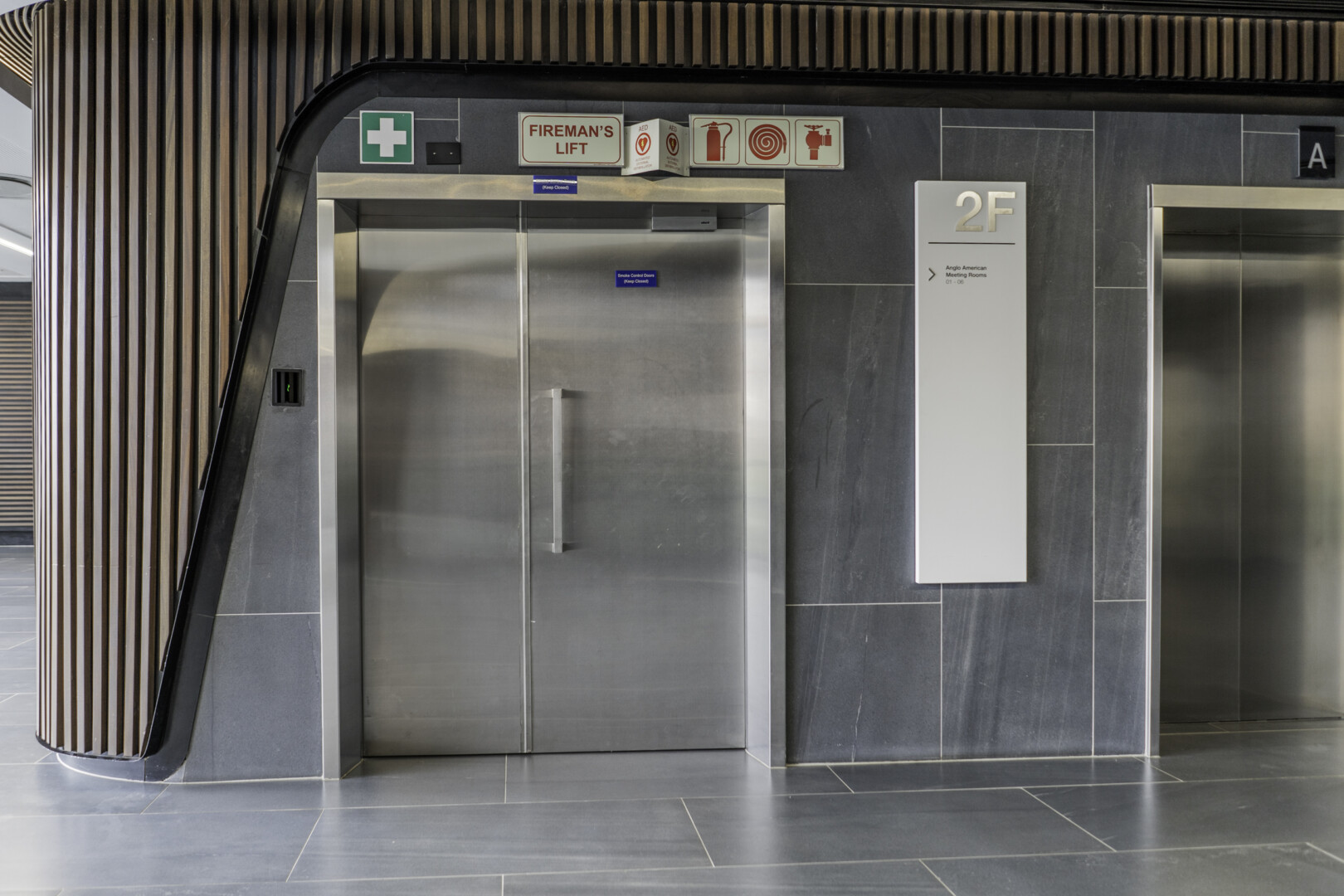
If a medical emergency arises that calls for immediate intervention, you can make use of the emergency equipment located in the Fireman’s Lift. It is situated adjacent to the main elevators in the Fireman’s lift lobby. Here you’ll find an AED, oxygen cylinder, first aid kit and additional equipment to help move an immobilised colleague.

In the event of a fire, alert an Emergency Assistant or contact the Control Room.

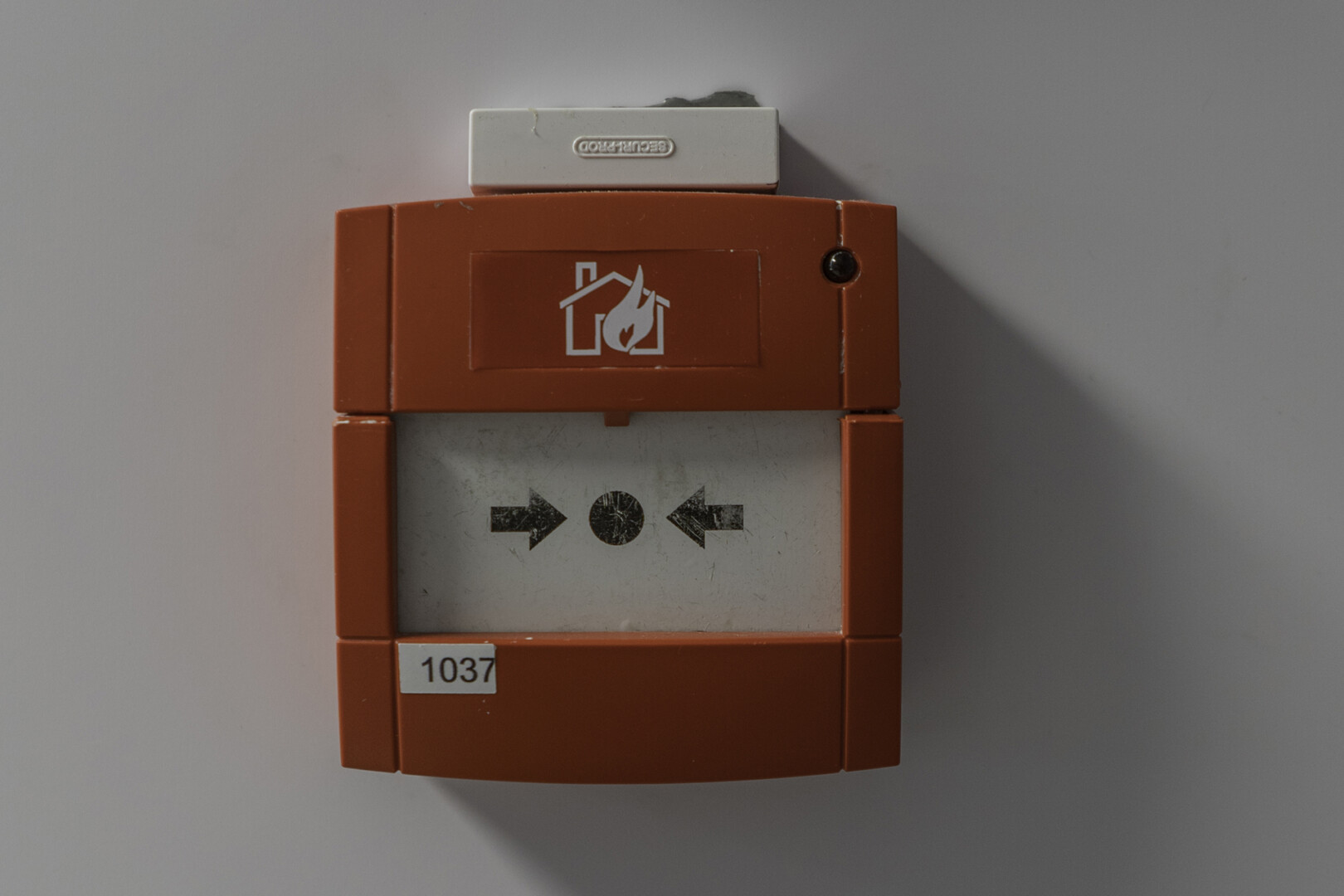
Alternatively, make use of the red BGU break glass units located at all of the emergency exits. These will activate the building fire alarm, prompting an evacuation. DO NOT press the red BGUs when the alarm has already been sounded. They will need to be reset before anyone can enter the building, causing unnecessary delays.

DO NOT try to combat a fire on your own. There is an external fire department with supporting floor wardens onsite with the expertise to handle it safely (1 fire warden is assigned to every 2 floors). In the event of an emergency they will assist medically unfit colleagues* to the fireman’s lift lobby.

*Medically unfit colleagues must wait inside the fireman’s lift lobby until they are taken down to the fireman’s lift.

What should I do in the event of an evacuation?

When the evacuation alarm sounds the first thing you should do is take it seriously.

Listen to the Emergency Assistants and close any nearby windows and doors (do not lock) if it is safe to do so. Those wearing high heels should change into a pair of flat shoes, which should be in your work bag and can be stored in your daily locker.

If you were enjoying a drink, leave it on a nearby surface. Spills can lead to colleagues slipping and falling down a flight of stairs. Trying to save your cappuccino simply is not worth it. While making your way to an emergency exit, stick to the left, and walk briskly, but DO NOT run.

It is vital that you use the nearest emergency exit to avoid congestion.

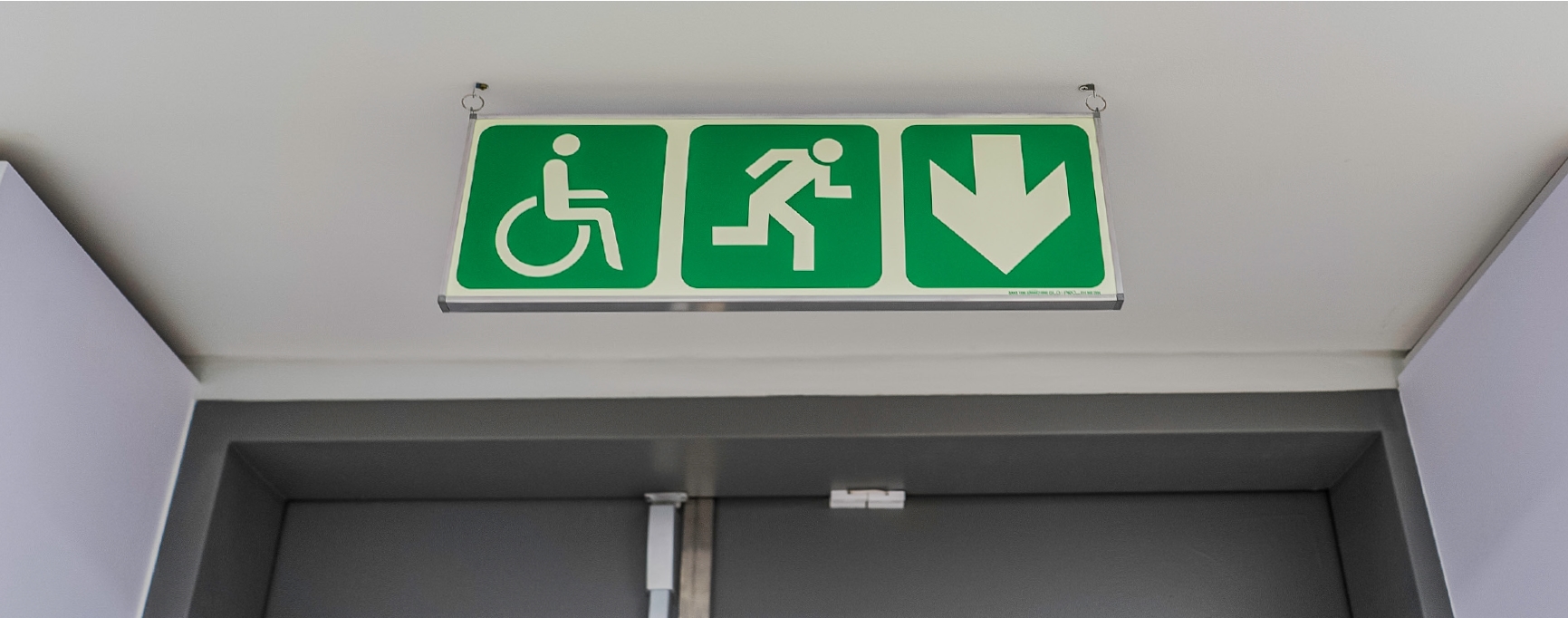
There are 4 emergency exits located on the North East, South East, South West and North West corners of floor 2, which lead to various assembly points at the front (West: Assembly Point A) and rear of the building (East: Assembly Point B).

Both the emergency staircases and fireman’s lift lobby have a fire retardancy rating of 2 hours.

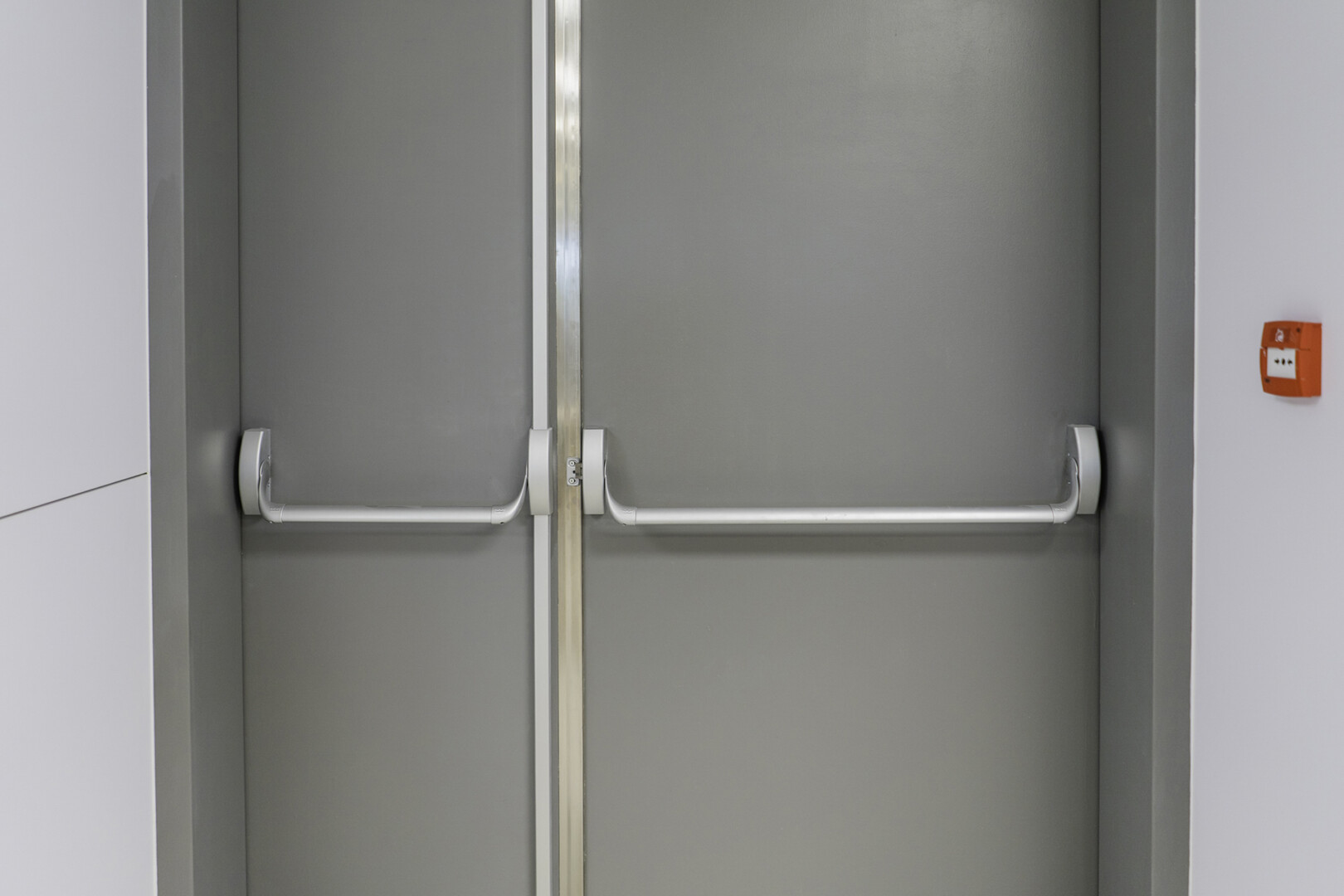
These critical ‘safety cell’ areas are secured with self-closure doors to ensure the high-pressure ventilation system functions properly. DO NOT wedge the emergency escape doors open. They must remain closed to maintain pressure and prevent smoke from entering the emergency staircases and fireman’s lift lobby.

As a security precaution, once you reach the emergency doors on the ground floor, you’ll need to press the green BGU break glass unit in order for them to open. DO NOT loiter around the emergency exits once you are outside. This creates unnecessary blockages.

Emergency Assistants will serve as a ‘visual marker’ indicating where you need to gather within the assembly point. Here is how to spot them: each will wear a white hard hat, reflective vest and a black backpack with a floor number on it in yellow. Look for the Emergency Assistant adorned with floor number 2 and move there.   

Should the need arise, you may be prompted to relocate to Assembly Point C (at a nearby school) further away from 144 Oxford.

Get ready and prepared for your first day back.

After months of planning and preparing for the move to 144 Oxford, the day is finally here, and we want you to have the best first day in your new workspace.
So, to help you make sure you know what to do on the day, we have put together a quick list of DOs and DON’Ts.

DON’T

  • You don’t need to book a desk or parking on Cloudbooking. (You will need to book a desk for other days, just not the Move-In day).
  • Don’t get rid of your old access card, as you will still need it to access site operations.

DO’s

  • Make sure you have collected your access cards. If you haven’t, click here to  see how.
  • Collect your IT equipment and Welcome bag in the Meeting Rooms on the second floor. Click here to download your digital version of the Welcome book.
  • Explore your new home Click here to see the floor. There will be ushers all around showing you where to go.
  • Enjoy a coffee at Vuka coffee bar or have lunch at Nambitha Gardens.
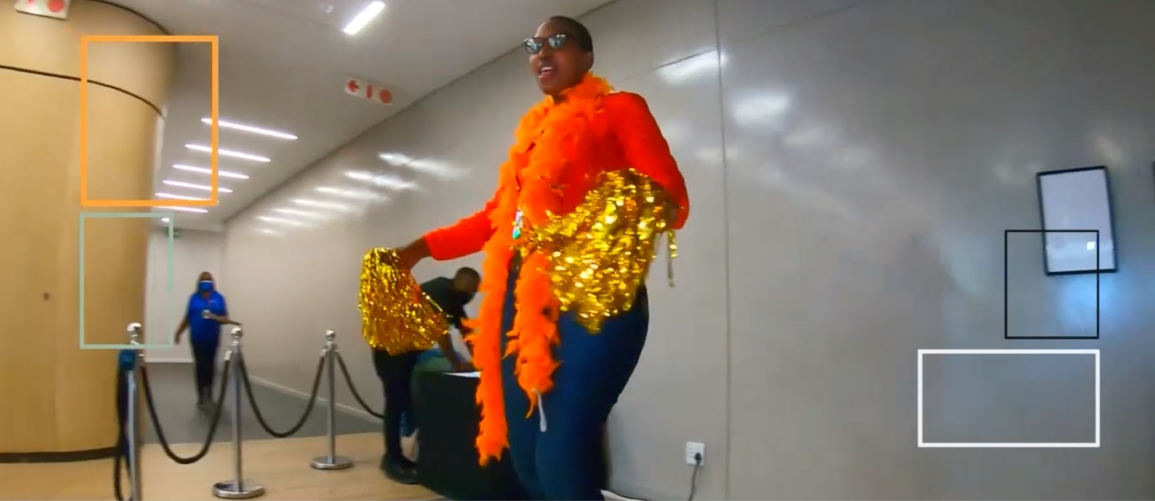
  • Make sure to Show Us Your Moves on the 360°Cam Activation.
 

Watch 144 Oxford show us their best moves, get ready to out move them, and stand a chance to win a R650 Takealot Voucher!

Booking a Hotdesk

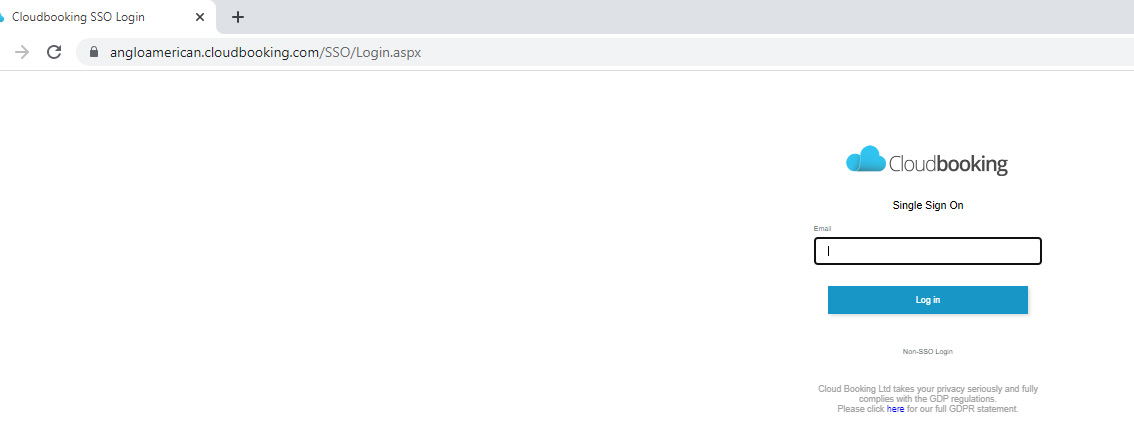
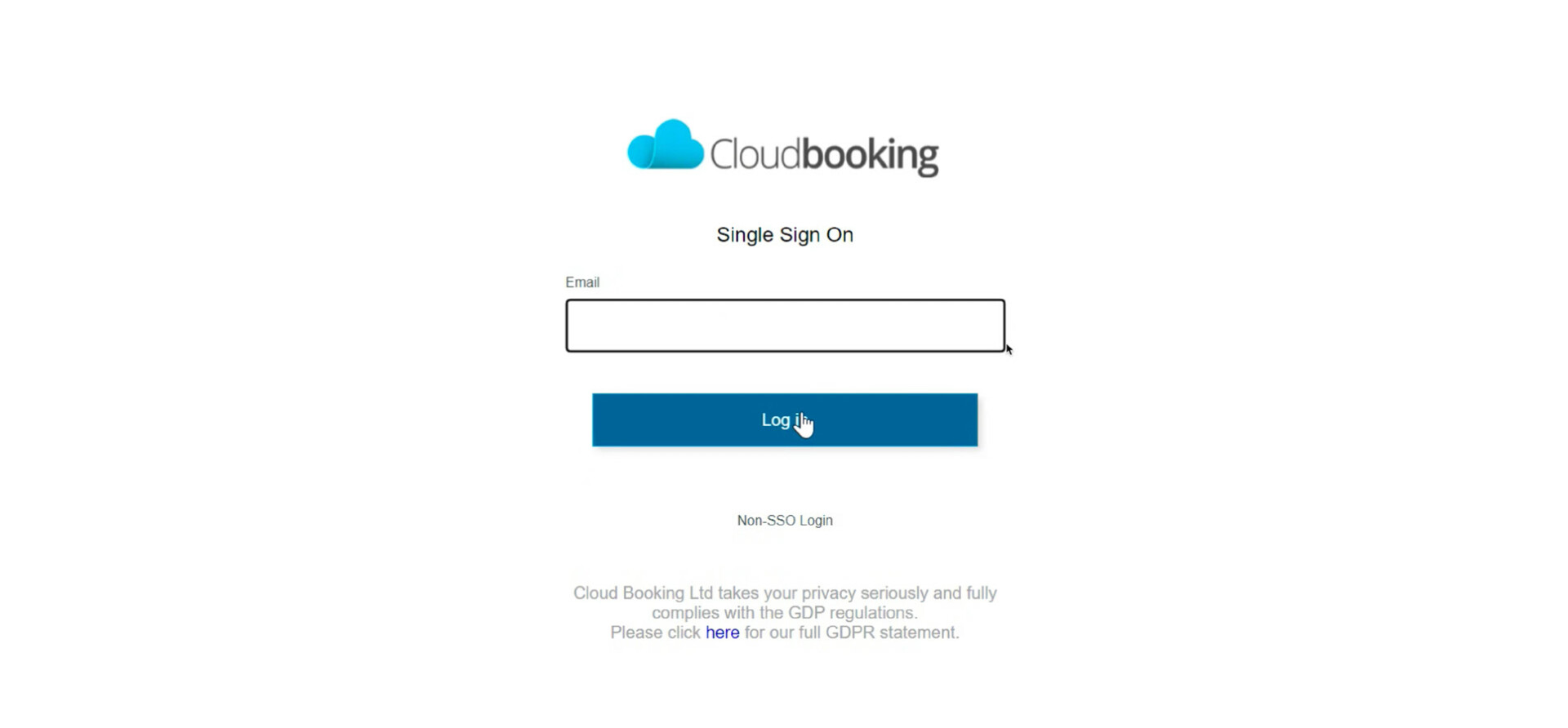
Login to Cloudbooking

Step 2
Type in your email address
Press on login.
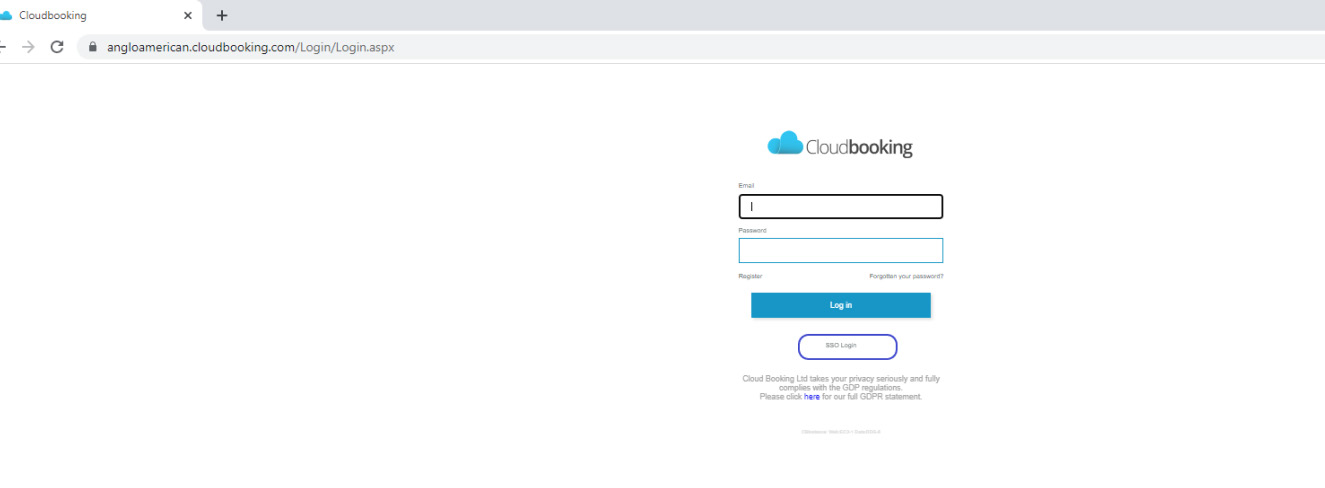
If you are presented with a login screen
as below please click on the SSO link and then log in.

Booking a Hotdesk

Follow the steps below to book your hot desk.
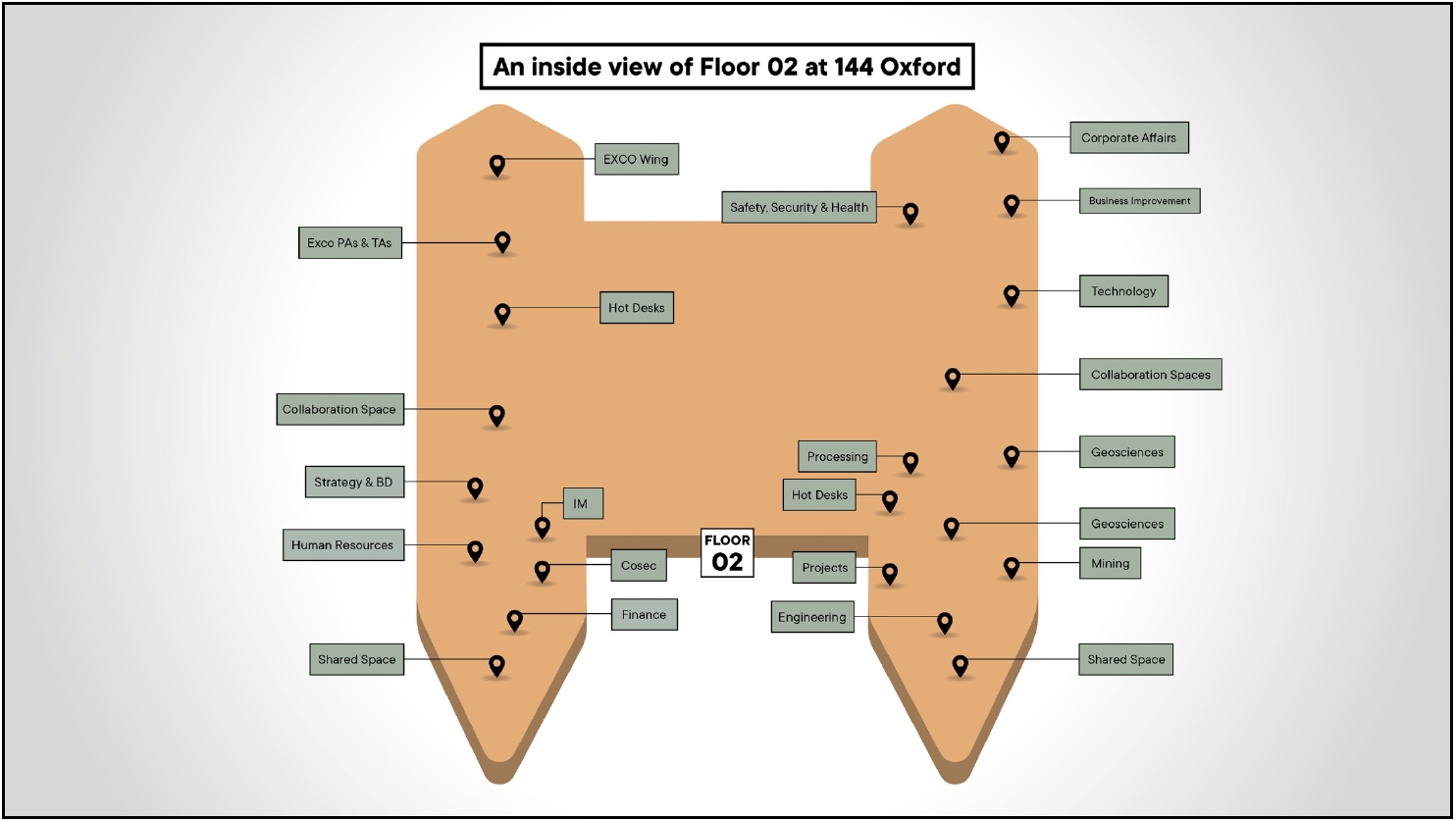
Take a look at the floor plan here to find a space that’s best suited for your needs.

Step 1
Open your browser and navigate to the Cloudbooking Log on Page.

angloamerican.cloudbooking.com

Step 2
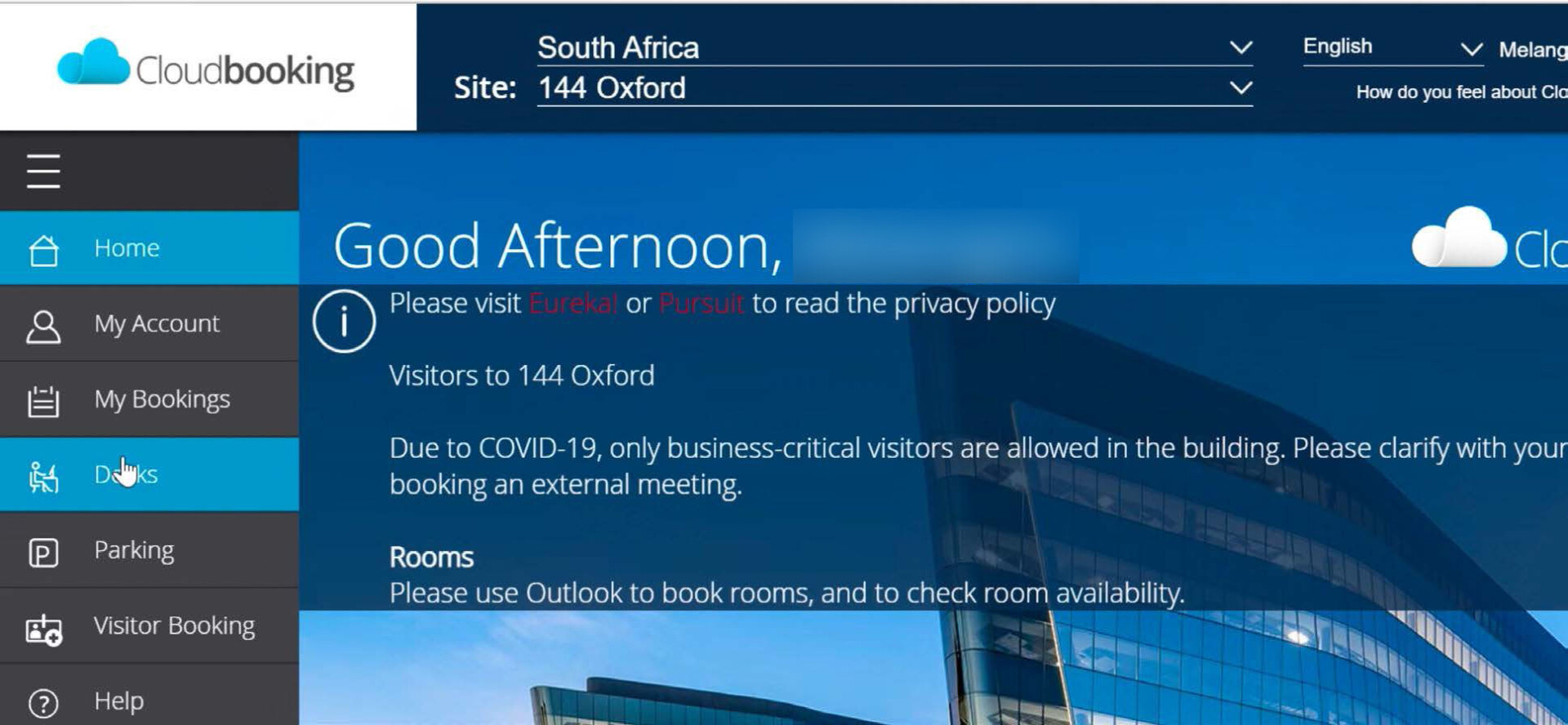
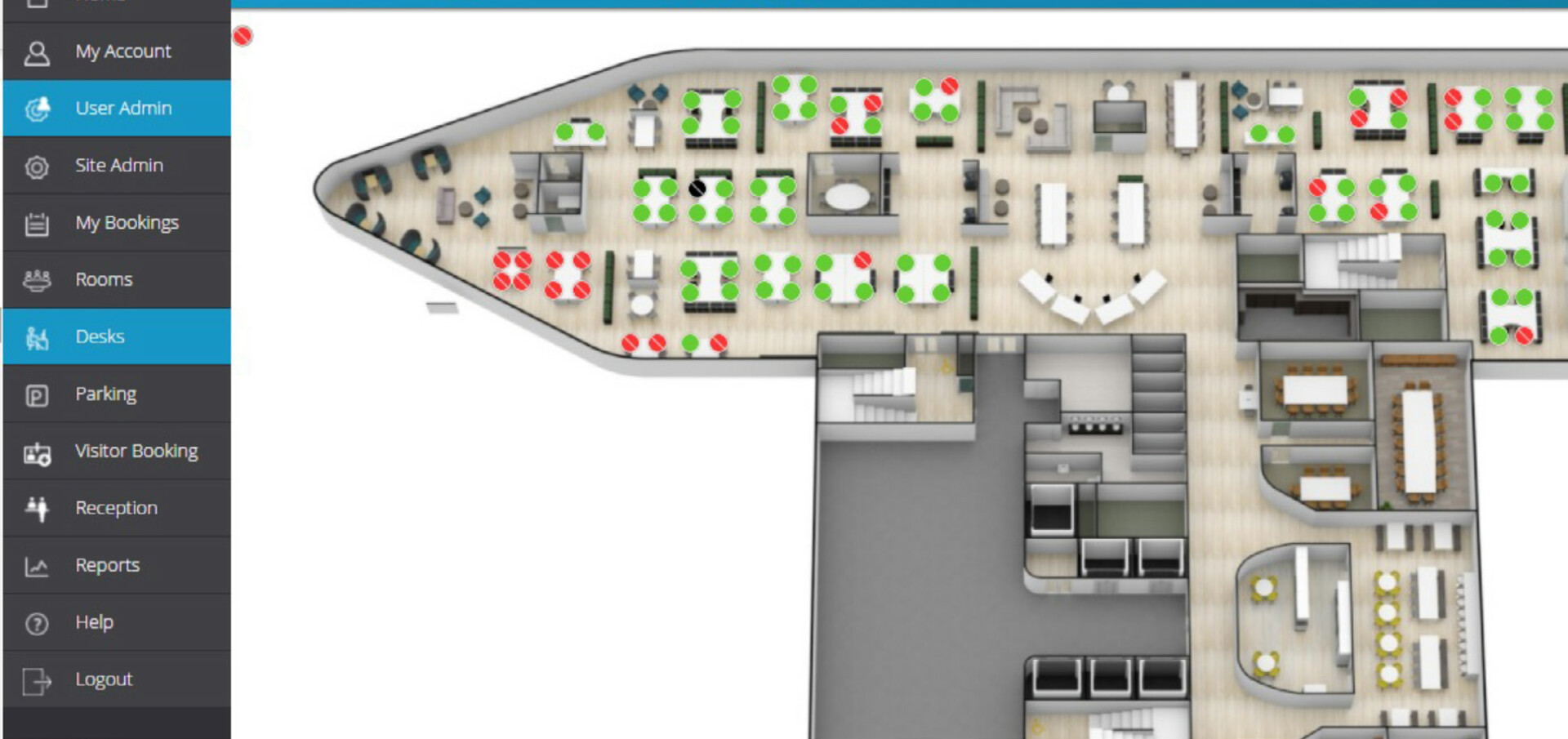
Select “Desks” in the left hand menu.

Step 3
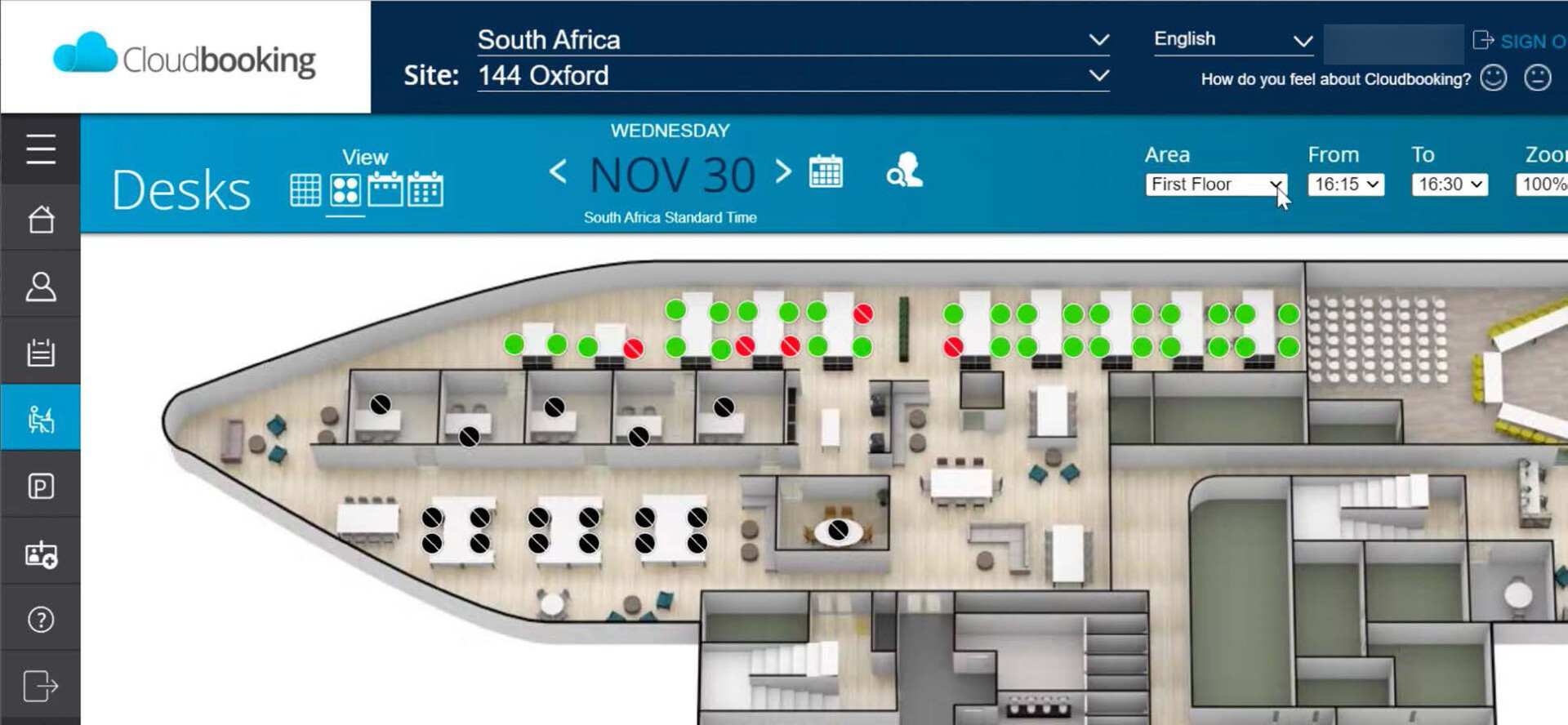
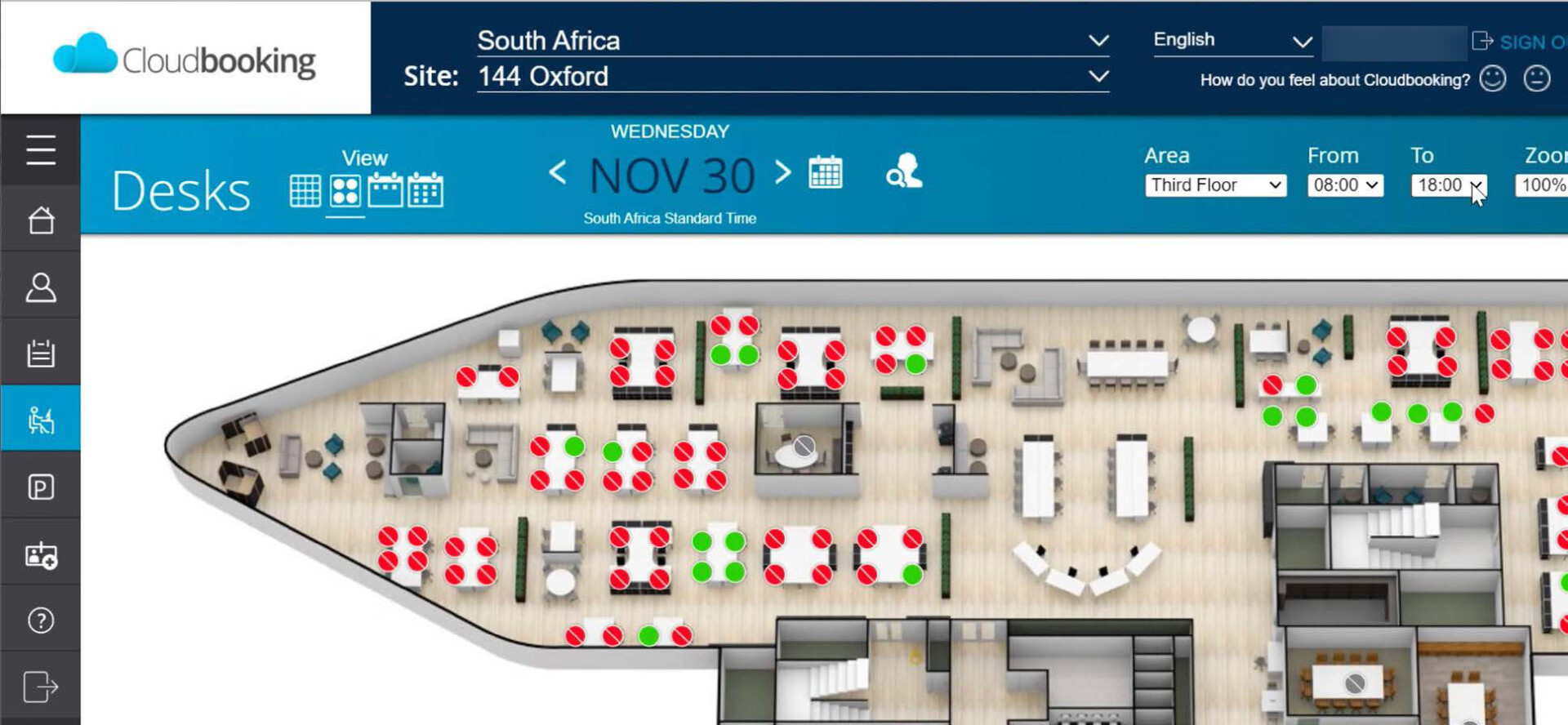
Select the floor you would like to book a desk on. This can be located in the top right hand corner of the screen.

(Kumba is on the second floor)

Step 4
Select the time you would like to book a desk from and until. This can be located in the top right-hand corner of the screen.

Step 5
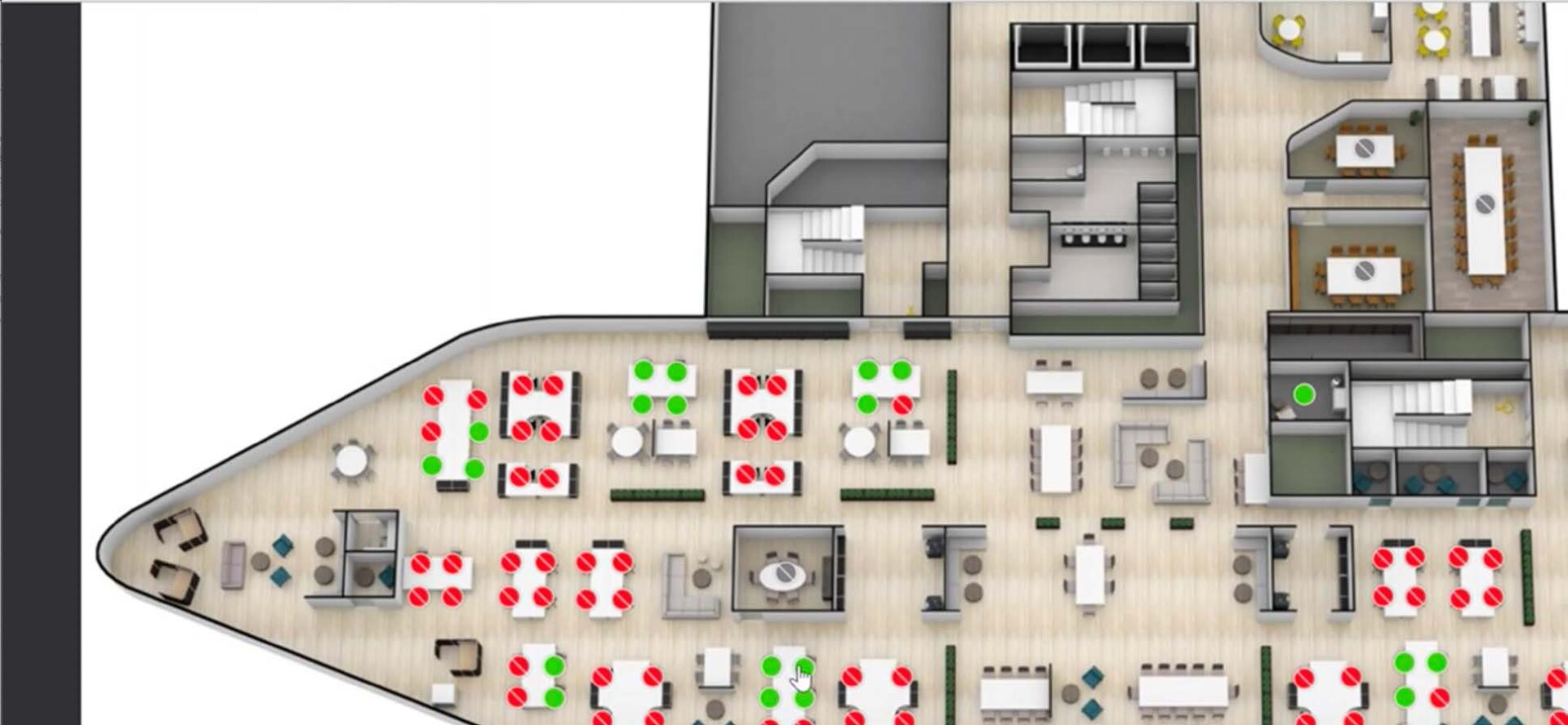
Select the desk you would like to reserve. You are able to navigate the floorplan. Green dots means the desk is available.

Step 6
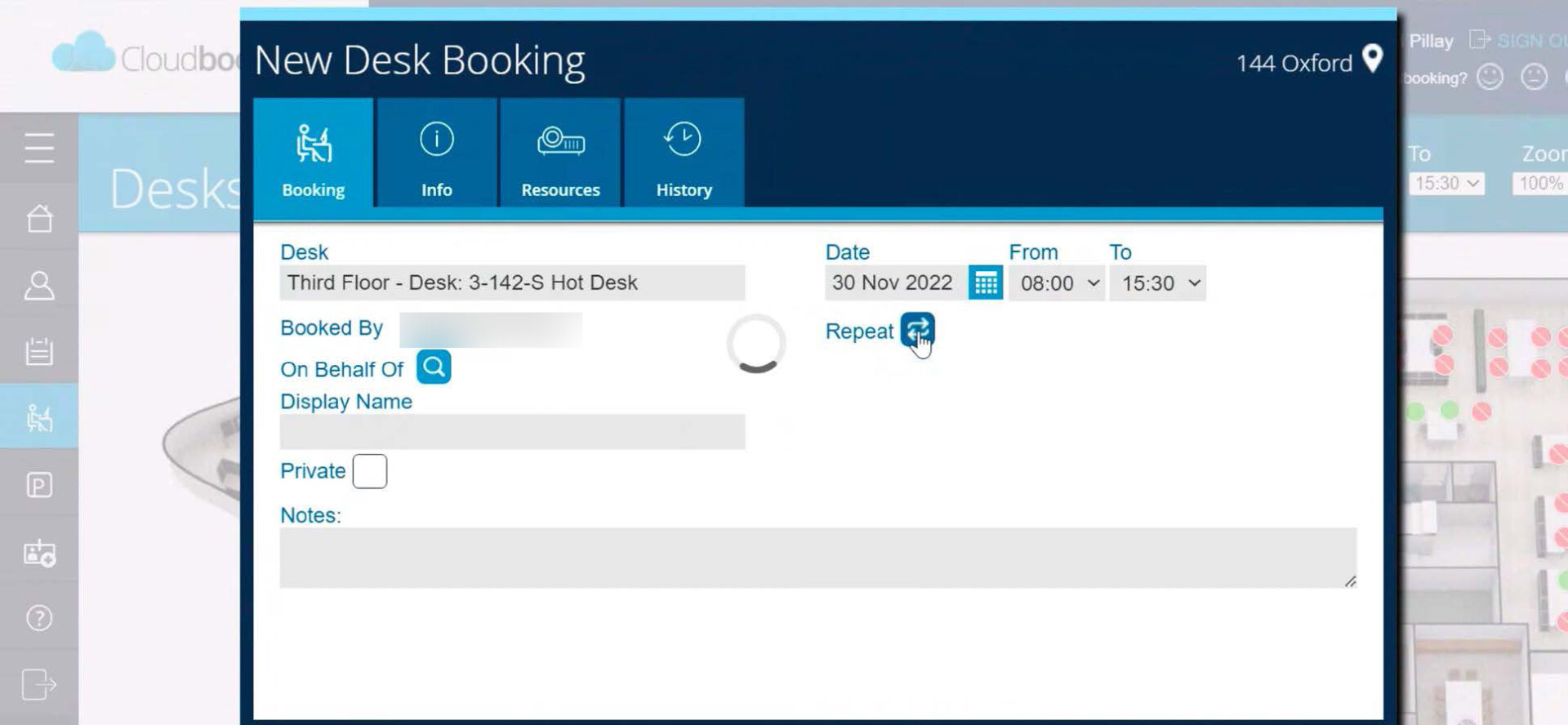
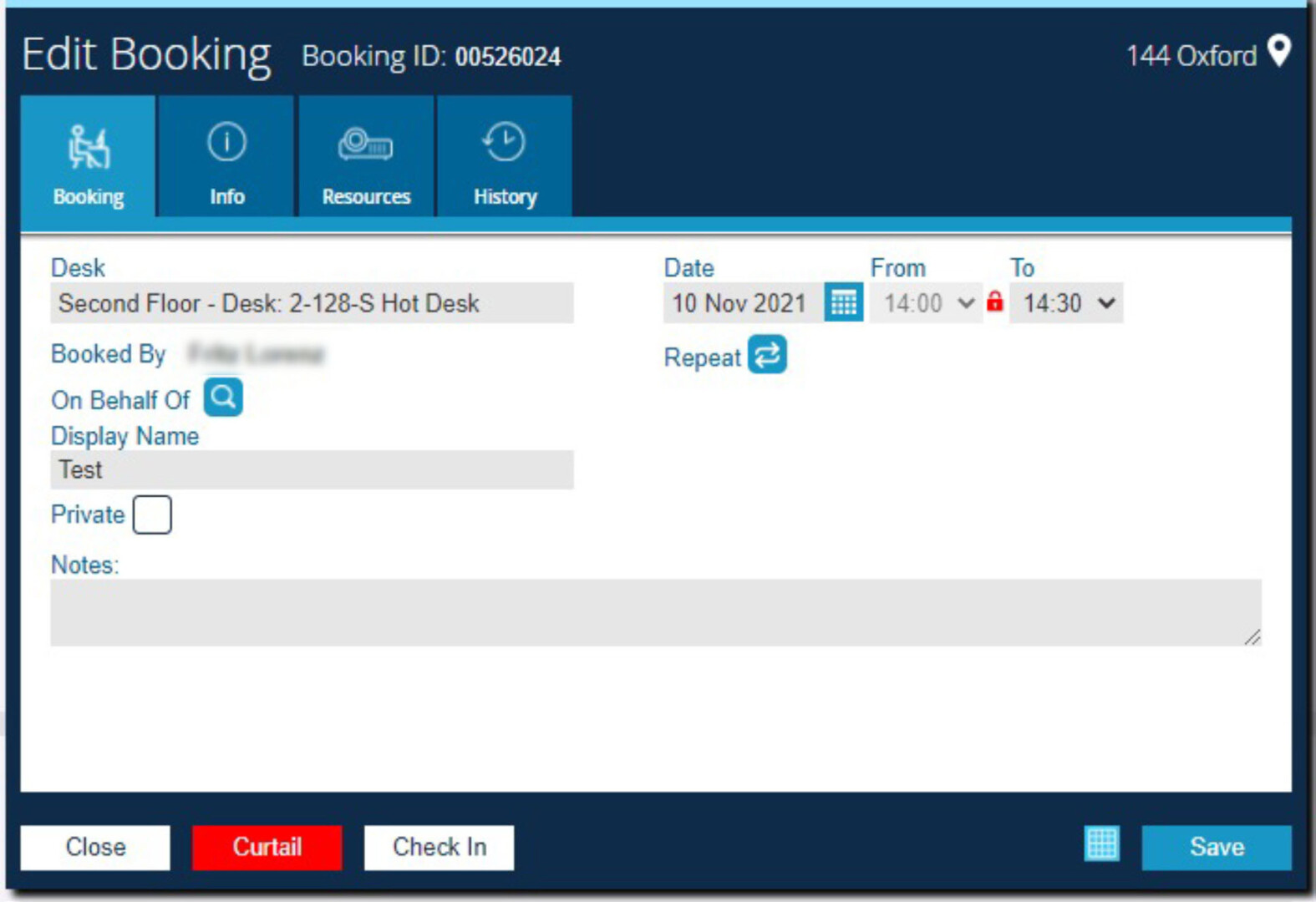
A pop-up window will appear with the  details of the booking. Here you are able to repeat the booking up until a certain date. Please ensure you are able to utilise the desk on those days.

Remember, desks are released 30 minutes after the time of the booking if you have not checked in.

Step 7
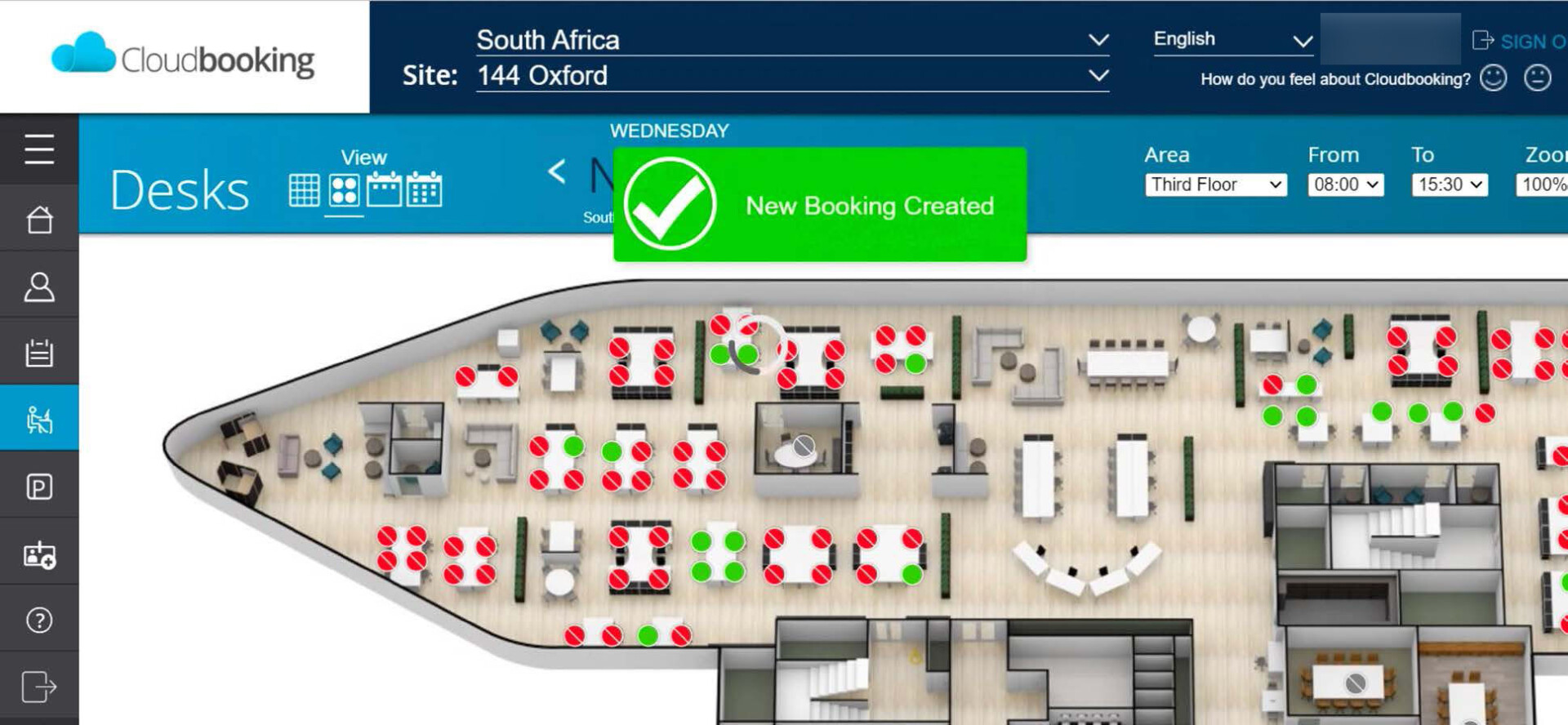
Your booking is now confirmed. Please remember to check in on arrival to avoid curtailing.


Checking in to your Hotdesk

Often desk bookings are made and not utilised, making the desk unavailable for other employees. For this reason an Auto Curtail function will be implemented. This allows for the deletion of a desk booking if the user has not checked-in at that specific desk within 30 minutes of the desk booking starting time. There are 2 ways to check-in.

Step 1
Open your browser and navigate to the Cloudbooking Log on Page

https://angloamerican.cloudbooking.com/SSO/Login.aspx

Step 2
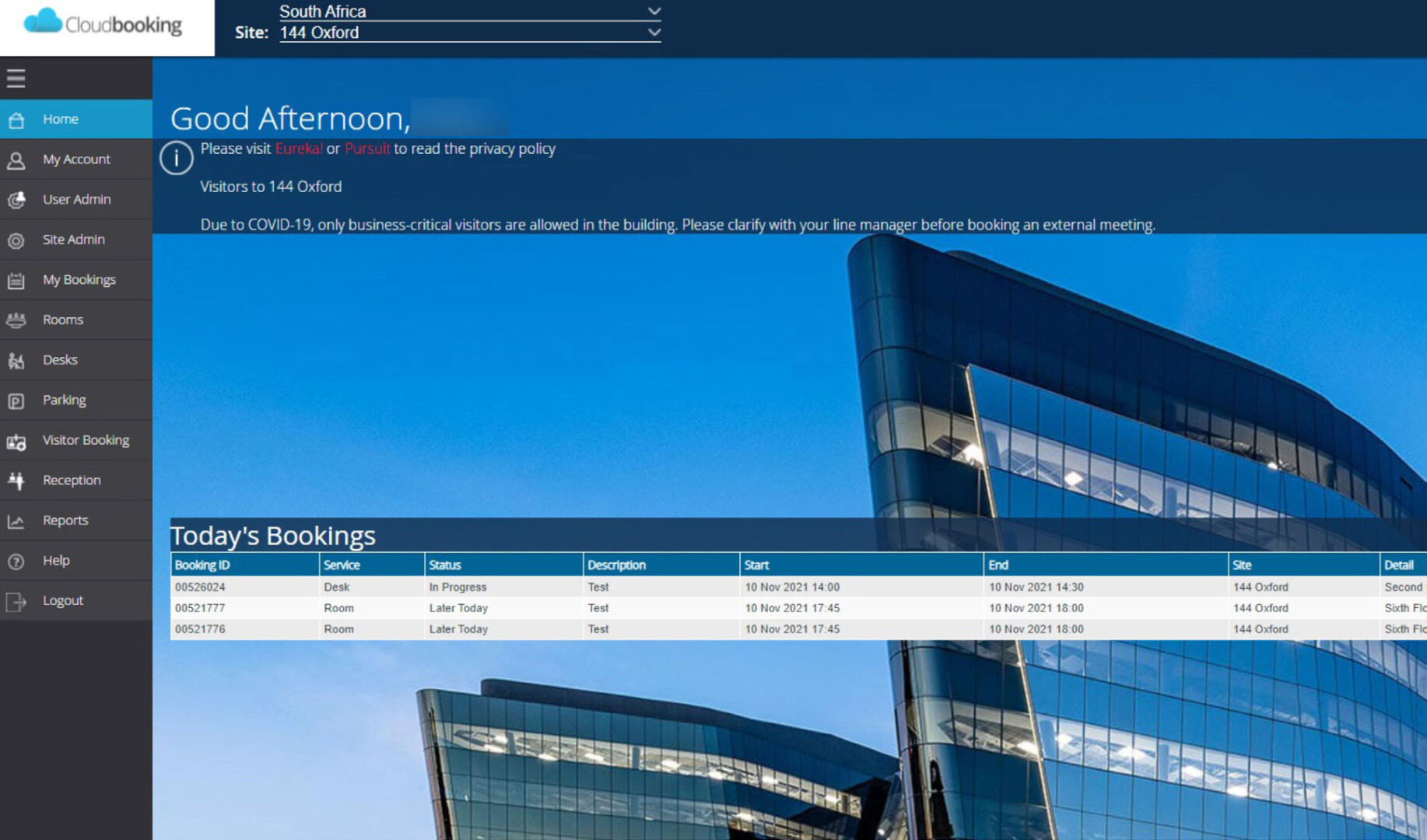
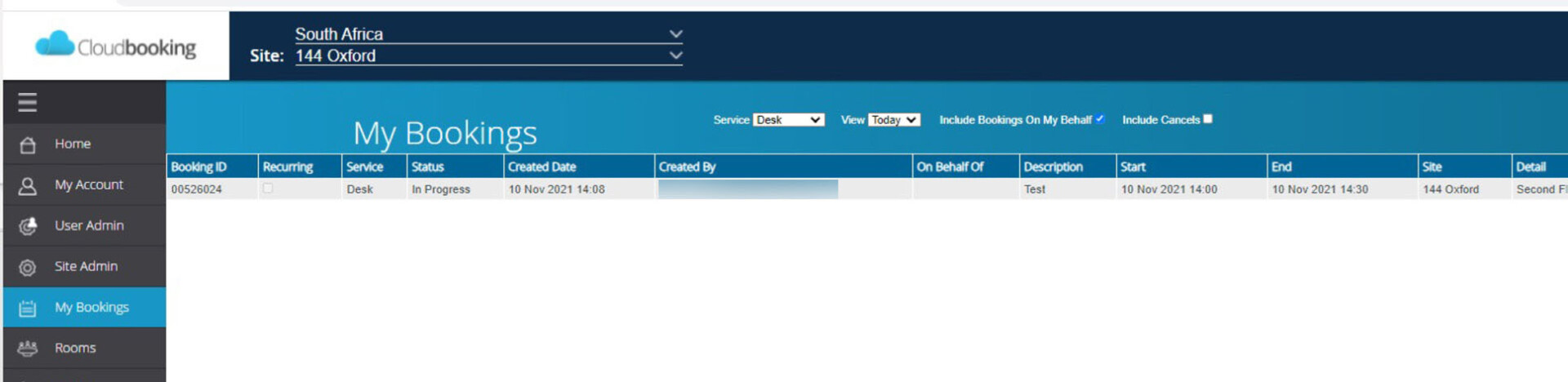
Locate your Booking using the My Bookings tab

Step 3
Select the Service as Desk, the View as Today and click on the relevant booking.

Step 4
You can also navigate to your booking using the Desks tab and clicking on the desk that you have booked.

Step 5
Now that your booking is displayed, click on Check-In. A message will appear that you are checked in.

Mobile App

Step 1
Open the Cloudbooking Mobile App.
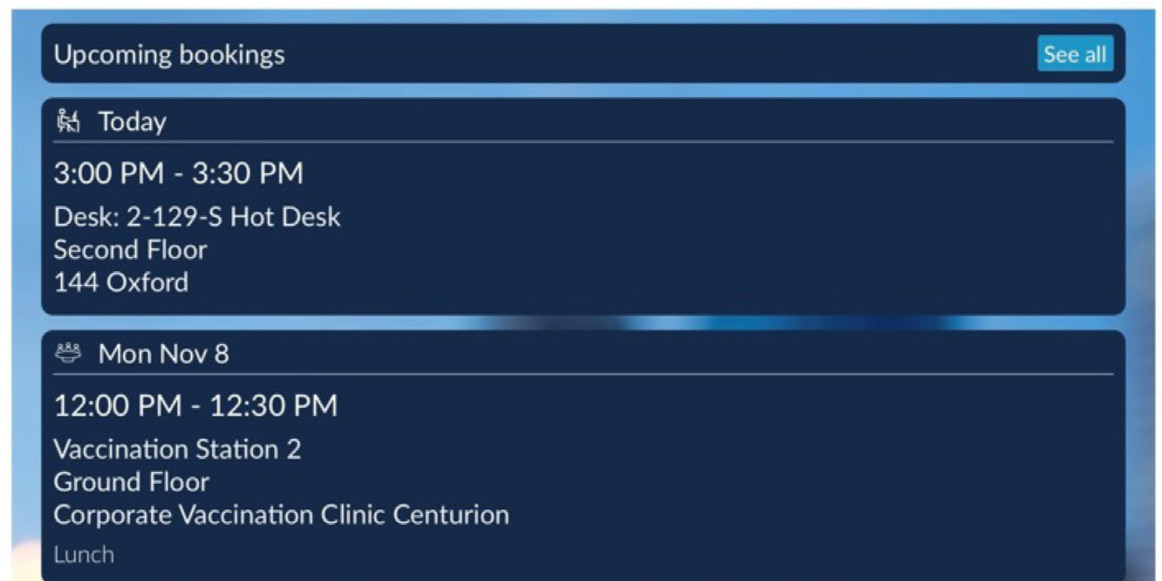
The Home Screen will display Upcoming
Bookings.
Click on the relevant desk booking.

Step 2
Once the booking has opened click on Check-in. Check-in is completed.

Move_me Townhall 2 Recording & FAQ

Our second Townhall was held on 14 September to discuss and navigate the moving of Kumba Iron Ore’s corporate office to 144 Oxford. Upon sharing the intention of embracing the spirit of change, this Townhall covered important aspects relating to the big move from an emotional safety perspective as well as the more practical process, such as:

Obtaining your access card – follow the 3 simple steps to apply for and collect your access card. If you wish to start working at 144 Oxford, you will need this access card and to book a hot desk for those days through Cloudbooking.

Get to know our new home – whether you drive, take the Gautrain, taxi or bus, get to know your way around from the moment you arrive at the new premises through to the rest of the building. Kumba’s new home is on level 2, with its own work café, amenities and designated spaces.

The incredible EVPs – you’ll have access to Vuka Coffee Bar, a fully kitted-out gym, a versatile canteen offering 8 food stations at Nambitha Gardens, and the travel lounge.

Rosebank and surrounds – the well-established transport hub feeds into and out of Rosebank with many amenities and places to see, all within walking distance.

The launch of our first competition – Make sure you enter before 5 October to stand a chance to win a R1000 Takealot voucher.

Watch the full Townhall recording below. Get the latest answers to your questions by visiting our FAQ page.

Home is where our OREnaments are!

If you haven’t yet entered our competition, you’ll be happy to know we’re extending entries by another week! The closing date will now be 5 October.

This competition means the world to us as it will determine the pieces that immortalise our culture – so that through these items, we can carry the spirit of Kumba to our new home, where we will continue our legacy. Plus, you stand a chance to win a R1000 Takealot voucher.

We need YOUR help to pick the best pieces, so click here to enter!

Winners will be announced in October.
Get to know Rosebank and what’s on offer

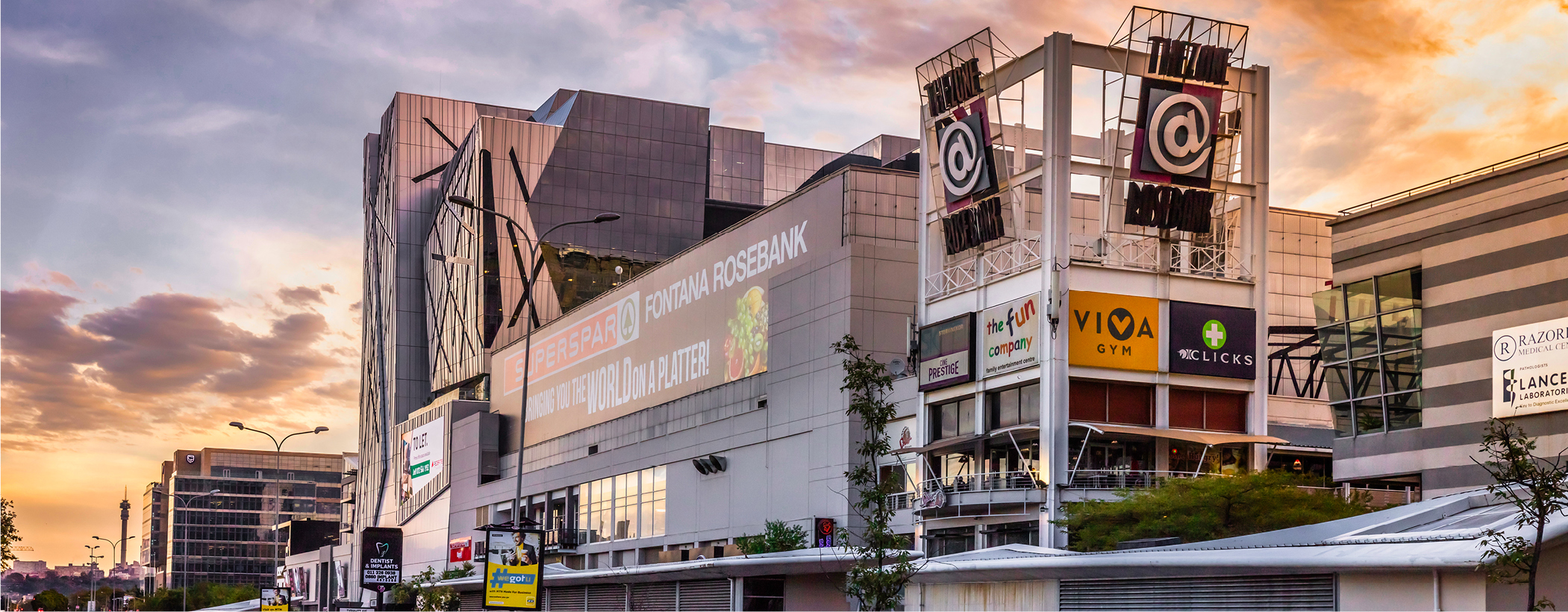
We know that change can be challenging to integrate into our lives, but when change comes with a variety of new perks, it can make the transition a whole lot easier. Rosebank is a lively cosmopolitan area that affords convenience, lifestyle enhancements and entertainment for everyone.

For parents, it offers a selection of schools, creche’s and nursery schools nearby, and for foodies and shoppers alike, Sandton, Illovo and Hyde Park will be your new favourite go-to spots. Plus, with The Keyes Art Mile and other galleries down the road, as well as numerous parks in the surrounding area, there will be no shortage of nature and culture to explore. Sports fans will be able to take advantage of the numerous Golf clubs in the area, and of course, Wanderer’s Stadium is just a stone’s throw away.

We encourage you to get out and explore your new neighbourhood, and no doubt you’ll be pleasantly surprised by what you find.

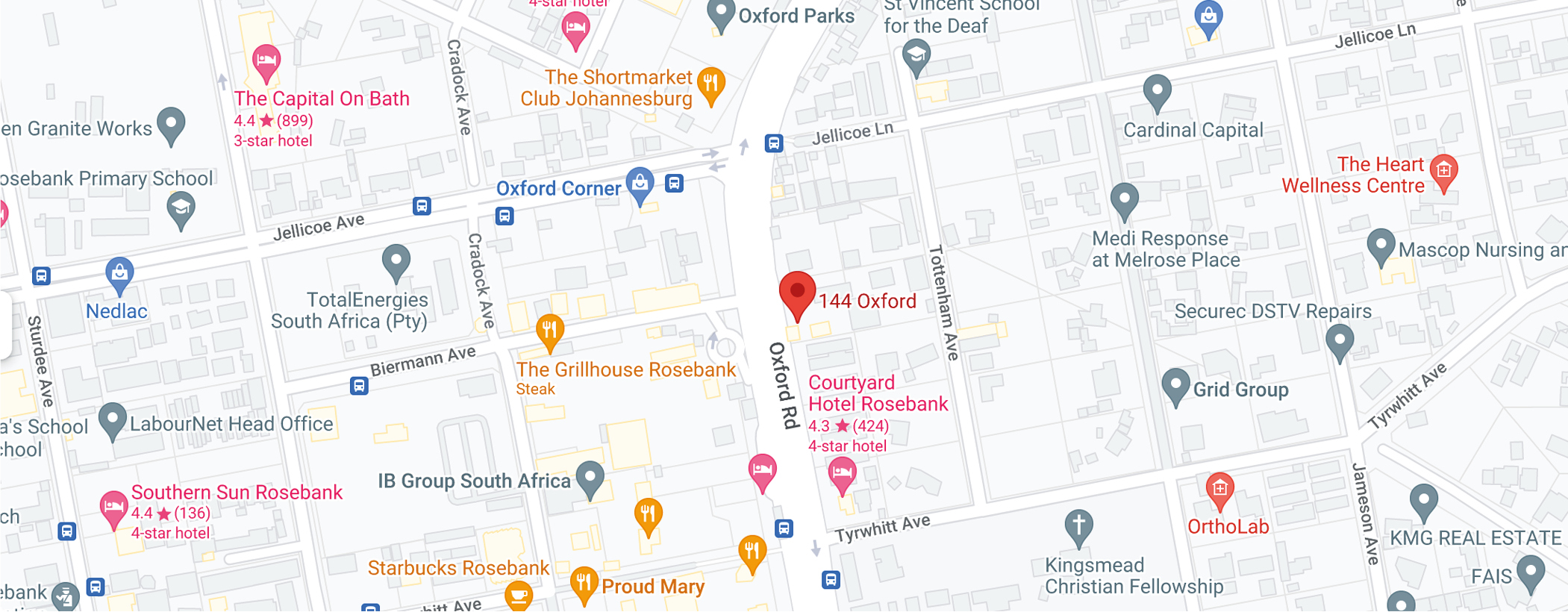
Here’s a map of Rosebank and the surrounding area.

Plan your route to 144 Oxford

Rosebank is a vibrant business, commercial and retail suburb with a well-established transport hub that feeds into and out of Rosebank from areas around Johannesburg. 144 Oxford has easy access from all major areas and is conveniently situated within the Rosebank precinct.

From the Gautrain station to buses and a bustling taxi depot, one block away (50m from 144 Oxford), there are many transport options available – all within easy walking distance from 144 Oxford. Check out ALL the available travel options below:

Driving: routes from Centurion to Rosebank

  • (48,9 km) via Ben Schoeman Fwy/Pretoria Main Rd/N1 and Pretoria Main Rd/M1
  • (43,4 km) via Pretoria Main Rd/M1
  • (38,7 km) via R55 and Main Rd/M71

Gautrain: Gautrain operates a train from Centurion to Rosebank every 20 minutes, and the journey takes 24 min. The Rosebank Gautrain station is only 300m away from 144 Oxford, making it an easy walk to the office.

Download the latest Gautrain schedule and routes here.

Taxi: the taxi rank is 50m from 144 Oxford.

Buses: bus stations are less than 200m from 144 Oxford.

More information about the bus services:

Click here for the General bus and travel website
Click here to download the timetable app for the latest information and any delays
Click here for the Zones for Johannesburg routes

Ehail services:

  • Uber – download the Uber app and you can take a Uber taxi from your home to work. R8 per Kilometer. Click here for Uber’s safety procedure
  • Bolt – download the Bolt app and you can take a Bolt taxi from your home to work. R5,50 per Kilometre. Click here for safety Bolt’s procedure

Get your access card for 144 Oxford

We’re excited to let you know that you can start working at 144 Oxford even before the official move beginning this December! But before you do so, you’ll need to apply for and collect your access card to get into the new building. Here’s a step-by-step guide to getting your access card.

cloud

Step 1: Before your access card has been distributed to you, please book on Cloudbooking to register yourself as a visitor.

online-booking

Step 2: Complete the online access card application form and the safety induction no later than 24 hours (1 working day) before you arrive at 144 Oxford to collect the access card. This allows the team time to confirm employment status.

Note: Those that cannot access the link must please log a ticket with IM and request access to the form, as there have been a few people who can’t access the form. Those having trouble with the induction link must please log a ticket with support@passport360.com

workplace

Step 3: If you would like to start working at 144 Oxford once you have received your access card, you will need to book a hot desk on Cloudbooking for the days you wish to come in. Please ensure you engage you manager so your team know where you are.

Note: Due to the 2nd floor being under construction, there will be pressure on capacity at 144 Oxford. Please book in advance and cancel your desk booking if you decide not to come in. This will ensure it is available for fellow colleagues.